GW3JVB GW3JVB Software

Windows radio controller
RigOne app icon

RigOne

Latest recommended Windows version: v1.2.6

A focused radio controller for later Windows 10 releases and Windows 11, with native Icom control and Hamlib-supported radio testing.

RigOne puts the controls most useful at the desk in one clean place: tune, follow the VFO, watch the meter and scope, manage audio, and operate the radio without unnecessary clutter. Native Icom direct control and Hamlib support provide a growing choice of radio paths, with available features shaped by the selected radio and control method.

It doesn't do everything. It does what you need.
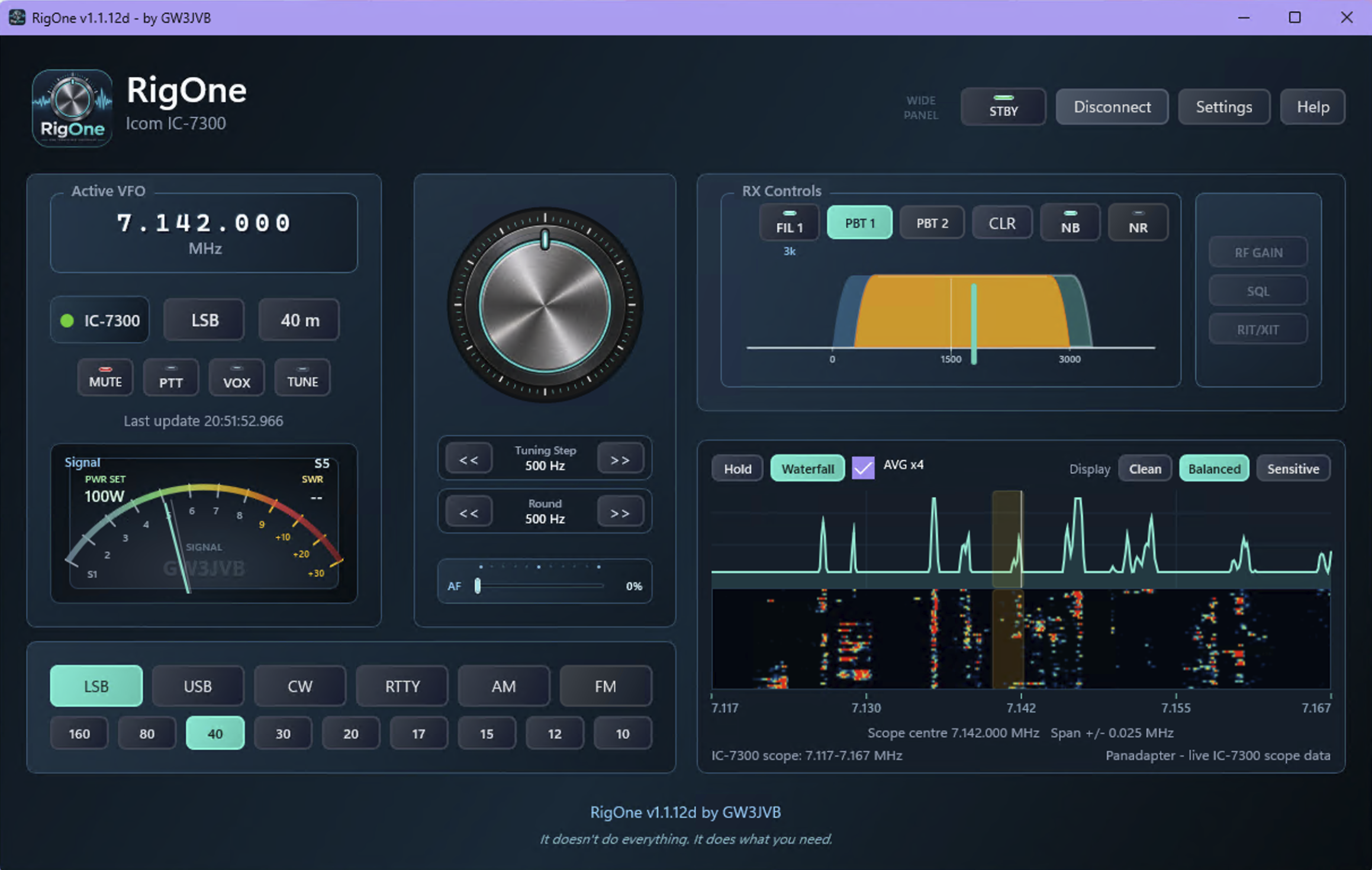
RigOne Wide panel layout with RX Controls and live IC-7300 waterfall
Direct controlNative Icom profiles, led by the IC-7300 path tested on a real radio.
HamlibSupport included, with features depending on each radio backend.
ScopeDirect IC-7300 control offers the fullest panadapter and waterfall view.
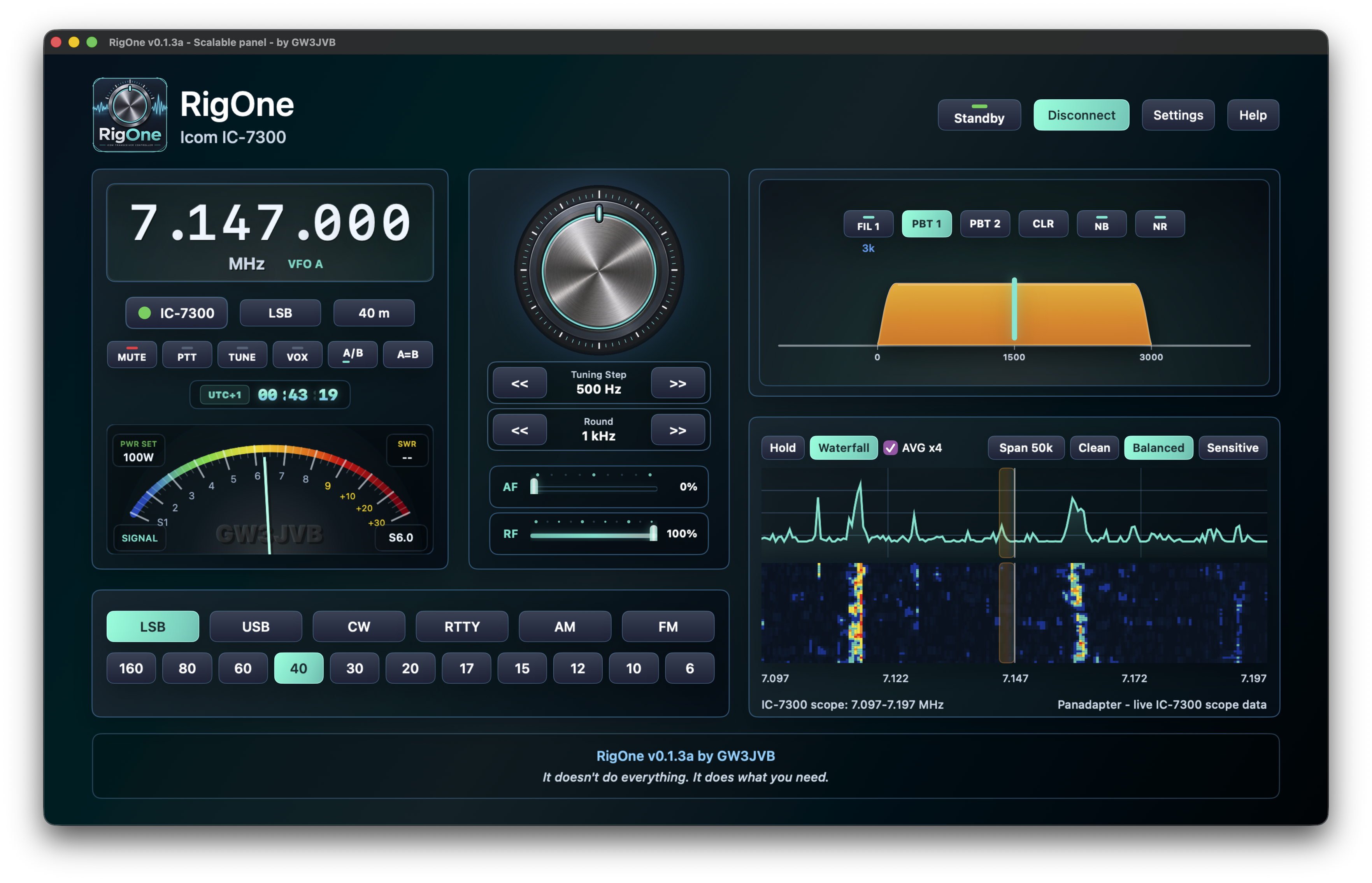
RigOne for Mac Wide panel development view
RigOne for MacIn development for macOS.
Same approachFocused controls for the station desk.
Coming alongMore testing and polish to follow.

At a glance

  • Made for later Windows 10 releases and Windows 11, with macOS version currently being developed.
  • Native IC-7300 control tested on a real radio, plus native Icom and Hamlib support as RigOne grows.
  • Frequency, mode, VFO, audio, PTT, signal display and scope tools where available.
  • Free to use, built and supported by GW3JVB.

What RigOne does

Focused controls for the station desk.

RigOne is deliberately not an attempt to recreate every radio application in existence. It is a focused fixed operating panel rather than a full-screen dashboard, bringing together the everyday controls and live information that are useful while operating.

Tune and follow

  • Frequency read and write
  • Mode read and write
  • VFO follow from the connected radio
  • Active VFO A/B switching and A=B copy controls
  • Quick mode and band selectors from the VFO display
  • Radio-aware band buttons, including UK 60 metres and suitable 6 m, VHF and UHF choices

Operate with confidence

  • Switchable analog-style or horizontal-bar signal meter
  • Signal meter changes to RF output while transmitting
  • Mute, PTT and VOX together in the main operating panel, with improved AF/MUTE behaviour
  • Embedded LED-style indicators show their live state
  • Native IC-7300 VOX control, plus AF gain slider
  • NB and NR toggles with live state indication
  • RF/SQL slider and squelch support where the selected radio provides it
  • Connection status shown at a glance

RX Controls and scope

  • Panadapter from live IC-7300 scope data with direct IC-7300 control
  • Integrated waterfall where the selected control method provides the data
  • Scope span control with steadier range and span handling
  • Hover frequency badge and a short teal click marker when tuning from the scope
  • FIL, NB and NR grouped together in the new RX Controls section
  • IC-7300 Twin PBT controls and current filter bandwidth readout
  • Region-aware amateur band display and useful visual feedback while tuning

What's new in v1.2.6

Settings that fit better, with more useful 11 metre controls.

RigOne v1.2.6 improves the Settings experience, especially on smaller displays where the previous panel could extend beyond the available height. It also adds further practical 11 metre channel improvements and a tidy round of layout polish.

Settings made easier to use

  • Reworked Settings layout for Wide and 16:9 panel layouts
  • More comfortable Settings use on smaller displays such as 1360 x 768
  • Improved Tall Settings presentation within the existing app window
  • Tidier Settings spacing, footer alignment and Close button alignment

Connection settings and 11 metres

  • Clearer Native Icom and Hamlib connection settings layout
  • New 11 metre channel-name view, with editable channel names
  • Open the 11 metre channel picker from the VFO band badge as well as the main band panel
  • Improved 11 metre picker sizing, placement and selector presentation

A calmer Settings view

  • Footer radio controls now stay hidden while Settings is displayed
  • Less visual clutter while you choose a radio, connection and operating preferences
  • Designed to keep practical controls close at hand on ordinary station screens
  • Discord remains the best place for feedback, bug reports, feature ideas and radio testing offers
With thanks: Peter de Graaf, PJ4NX, for the 11 metre channel-picker suggestion, and the wider RigOne community for their thoughtful feedback, bug reports, feature ideas and testing.

App preview

The wide panel up top, with two clear meter views.

The current Wide panel screenshot shows how RigOne can make good use of a wider display. Full, Focused, Compact and Custom layouts remain available when a different desk setup feels right.

Meter choices

Choose the feedback that is easiest to read at a glance.

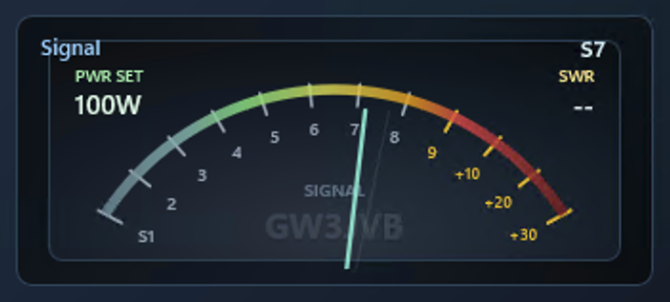
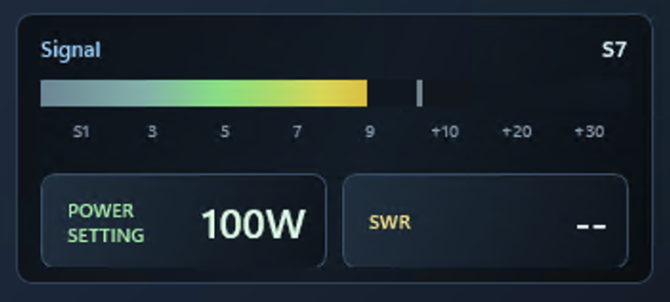
The analog view gives a familiar moving needle and peak hold, while the horizontal bar is there for a compact digital readout. Both are one click away in the main operating panel.

That keeps the visual part of the page useful without repeating every panel layout in full-size screenshots.

RigOne analog meter with elliptical S-scale
Analog view with the elliptical S-scale, moving needle and fading peak hold.
RigOne horizontal signal meter view
Horizontal bar view for a compact digital readout.

Hardware and compatibility

Clear about what is supported today.

RigOne is being grown carefully around real station use. IC-7300 remains the main tested native path and the fullest experience. Native IC-7300 MkII, IC-705, IC-7610 and IC-9700 profiles are based on early user and community testing, so feedback is warmly welcome. Hamlib support remains available for other radios where the backend exposes the relevant controls.

Native Icom control

  • Later Windows 10 releases and Windows 11
  • IC-7300 tested with a real radio over USB/COM CI-V
  • IC-7300 MkII, IC-705, IC-7610 and IC-9700 available for early community testing
  • Live IC-7300 scope data, panadapter and waterfall
  • Radio-aware band buttons provide appropriate HF, 6 m, VHF and UHF choices where supported

Hamlib radio support

  • Included for broader transceiver compatibility
  • Verified with IC-7300 model 3073 and Yaesu FT-DX10 model 1042
  • Opens the door to wider transceiver compatibility
  • Feature availability depends on what each Hamlib backend exposes
  • Panadapter and waterfall remain unavailable where Hamlib does not expose live scope data
  • Operator feedback will guide the next expansion
How RigOne connects: RigOne currently uses a local serial/CI-V control connection. For radios such as the IC-7300 and IC-705, that means a USB/COM connection at the moment. Network or IP radio control is not included in the current version, though it may be considered for radios such as the IC-705 in a future update.

Hamlib feedback wanted

Help shape the next radios RigOne supports.

Hamlib support is an encouraging compatibility expansion. If you use a non-IC-7300 Hamlib-supported radio, a quick report from a real station would be genuinely useful, whether everything works or not.

What to include

  • Radio make and model
  • Hamlib model number, if known
  • Connection method used
  • Anything that was missing or unavailable

Useful test results

  • Whether frequency read and write work
  • Whether mode read and write work
  • Whether PTT and mute/audio controls work
  • Any differences between direct control and Hamlib behaviour

Download RigOne

Download it. Install it. Connect your radio. Use it.

RigOne v1.2.6 is the current recommended Windows download. It makes Settings more comfortable on smaller screens, improves connection setup and adds practical 11 metre channel controls. The download button opens the GitHub release page, where you can read the notes and choose RigOne-Setup-v1.2.6.exe.

Installer note: RigOne is distributed as an application installer. The button above opens the GitHub release page; choose RigOne-Setup-v1.2.6.exe from its release assets. Any automatic archive links shown by GitHub are not the RigOne installer. IC-7300 remains the main tested native Icom path, and feedback on the newer profiles and Hamlib remains very welcome.

Support development

Free to use. Supported by those who value it.

RigOne is a free, independent GW3JVB amateur-radio project, developed around real radio use in spare time. Discord is the best place for feedback, bug reports, feature ideas and radio testing offers; donations are never required, but they are appreciated and help support continued development.